How to book
Book your ride with CarApp in 3 steps
From destination to arrival, everything happens in the CarApp app.
1. Set your destination
Whichever way is easiest for you:
- Voice message with Vocal: it asks « انتم اشواعدين؟ » (“where are you going?”) and you answer out loud, for example « واعدين مطار نواكشوط الدولي ».
- Your recent or frequent places on the home screen.
- Typing the place name in the “Where to?” field.
- Pinning it on the map.
2. Choose a category and confirm the price
Choose CarApp or CarApp Plus and see the price before booking. As soon as you confirm the price your request is sent. The driver’s details (name, photo, rating) and the car’s (model, colour, plate) appear once a driver accepts.
3. Ride and follow your trip
Follow the car on the map, call the driver or share your trip with your family from the same screen, and rate the driver when you arrive.
Other ways to book
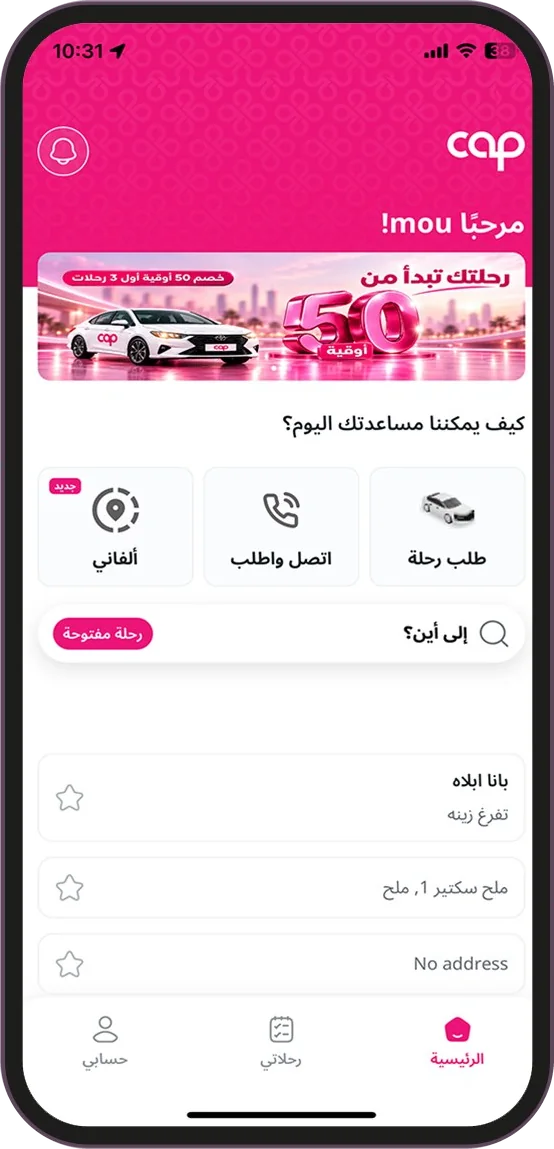

Call & Ride, for free
Tap “Call & Ride” on the home screen to reach the service centre for free, with no credit. No need to explain where you are: the app sends your location automatically, just say your destination.
Alfani: share a place
Share your current location or one of your places as a link (for example on WhatsApp). The person you send it to taps the link and a ride to that place is booked. They need the CarApp app; if they don’t have it, the link takes them to the right store for their phone.
Book for someone else
You can book a ride for another person from the app.
Download CarApp and book your ride now
On the App Store and Google Play. Need help? Customer service on 1858, 24/7.